

Single contact center
the call is free
paid call
for foreign calls (free through the internet)

The eGov Mobile application Printable version
Last update: 27.04.2026The eGov Mobile Application of e-Government
The eGov mobile application is available for free download from the Play Market (Android 5.0 or later version required) and the App Store (iOS 11.3 or later version required).
To use the mobile app, the user (an individual) should be registered on the e-Gov Portal (egov.kz). More details are available here.
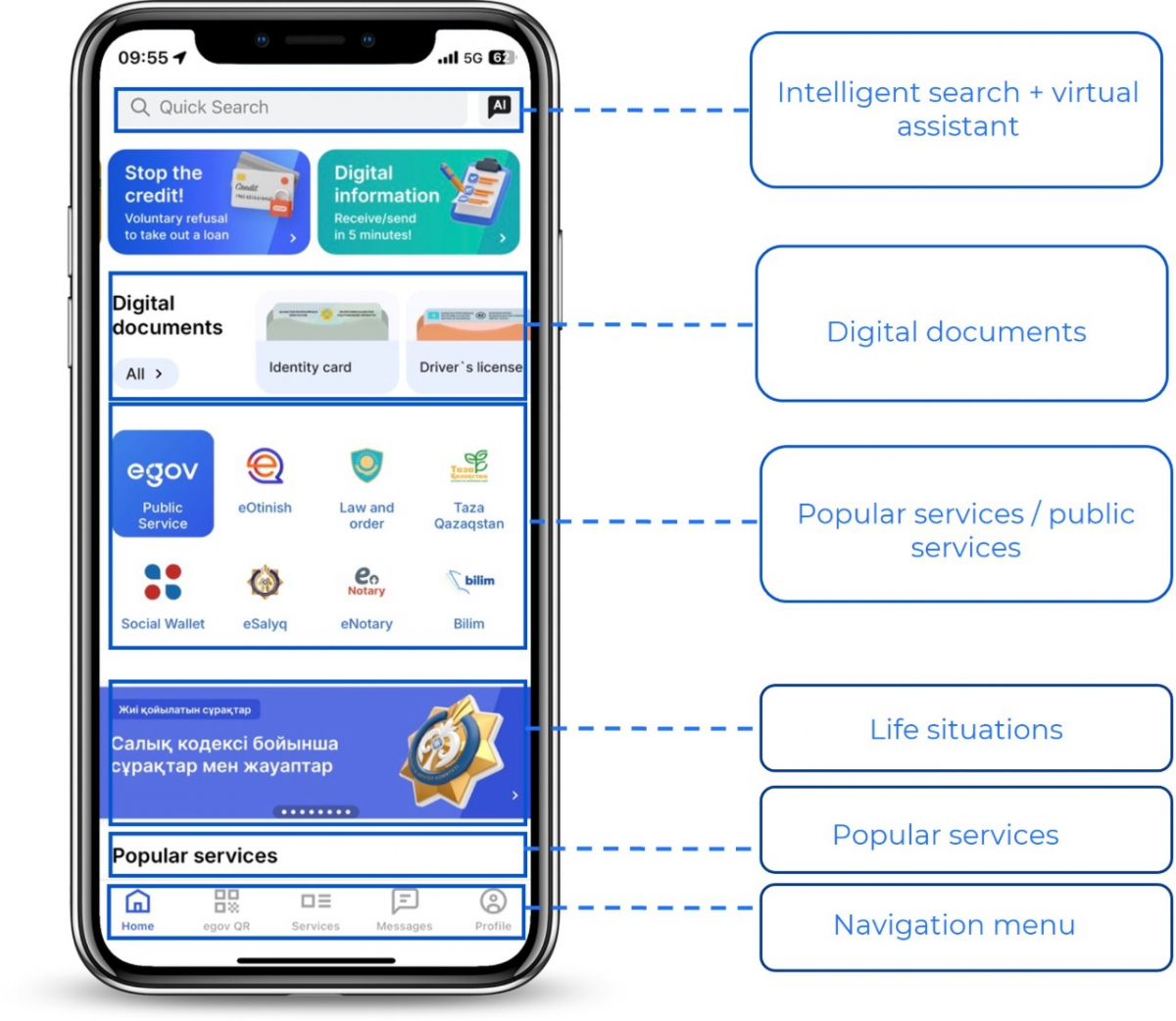
The mobile app homepage
The homepage features icons of popular services, including quick access to public services. The eGov icon is prominently displayed and leads to a catalog of all the services, conveniently organized by categories. For easier navigation, services are divided into two sections: the e-Government portal and the e-Licensing portal. Below, banners with brief information about new features are displayed, along with lists of top, popular, and recommended services.
Updated "Services" section
The complete list of digital services is available through the "Services" icon in the app’s bottom menu. In addition to the popular services featured on the homepage, all available tools are presented here, organized by sections.
The section’s interface has become more intuitive: each service is accompanied by a pushpin icon. When clicked, the service is automatically added to the list of popular services. Banners with brief descriptions of key features are also displayed on the page, helping users navigate the app’s capabilities more quickly.
Instant access to digital documents
ID cards, passports, birth certificates, and other important documents are now displayed directly on the homepage eliminating the need to navigate to a separate section. This enables you to instantly present the required document or QR code for authenticity verification.
Catalog of real-life situations
A dedicated catalog of real-life situations has been introduced. It provides step-by-step instructions for various processes, such as registering with a clinic, restoring documents, or obtaining a driver’s license. When selecting a specific situation, structured information is displayed detailing what to do, where to apply, which services to use, and the applicable regulatory documents.
Improved eGov QR capability
An explanation of the service’s purpose is now displayed on the screen, and if needed, the screen automatically adjusts its brightness for comfortable use at night.
Modernization of the "Messages" section
Notifications about service statuses, survey results, and important updates are grouped by topics, making it easier to find relevant information.
Personal profile data
The profile displays personal data, as well as information about family, health, employment, fines, property, and other areas. The history of submitted consents is also available, and users can navigate to the desired section through clear and intuitive navigation.
Getting a DS
To obtain a DS, follow these steps:
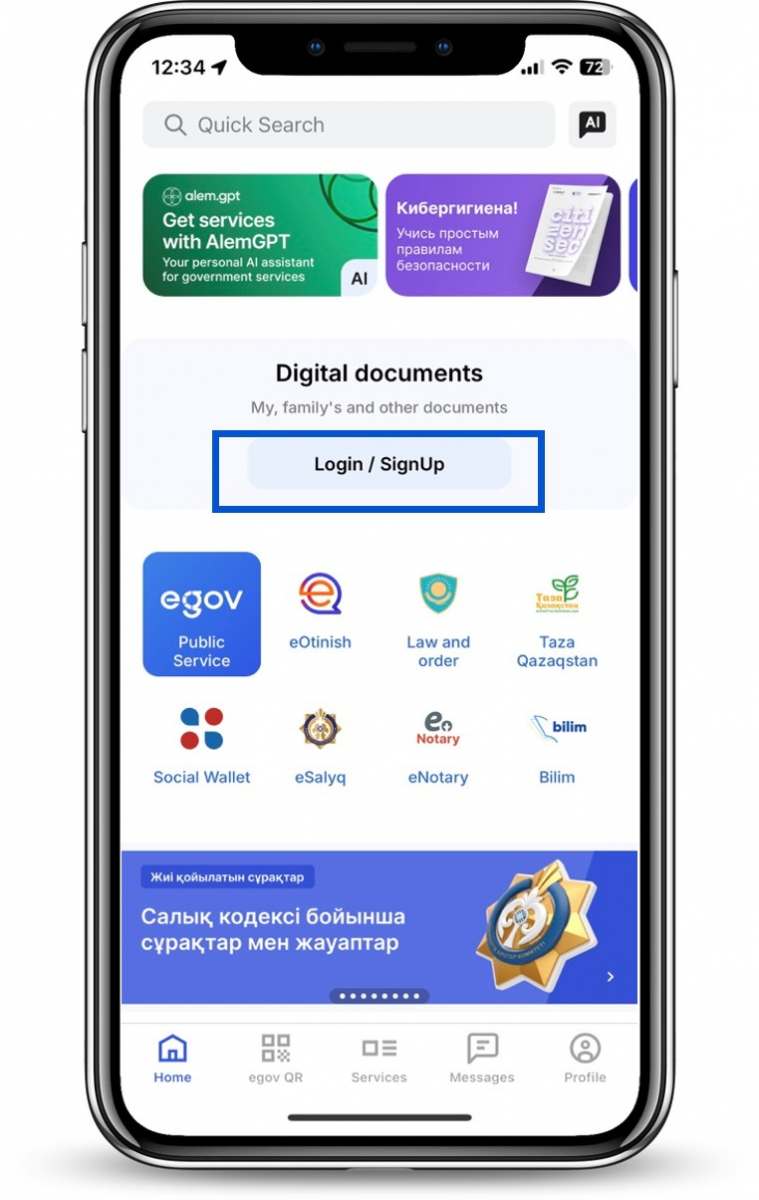
- On the homepage of the eGov Mobile app, click "Login/Register"
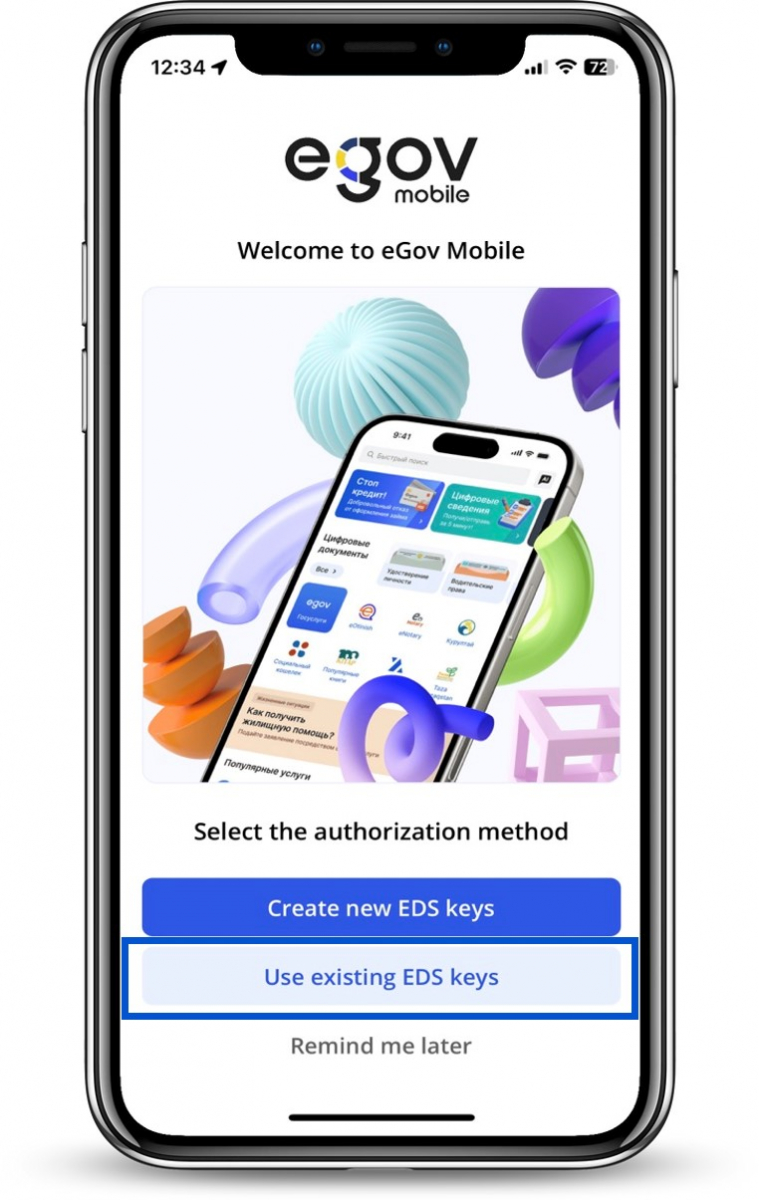
- Click "Issue a new DS" button
- Enter your IIN and phone number, then click "Get code" button
- Enter the SMS code to confirm your phone number
- Grant permission to use the camera
- Complete the video verification process
- Grant access to your ID document and phone number
- Create a password for your DS or use a generated one
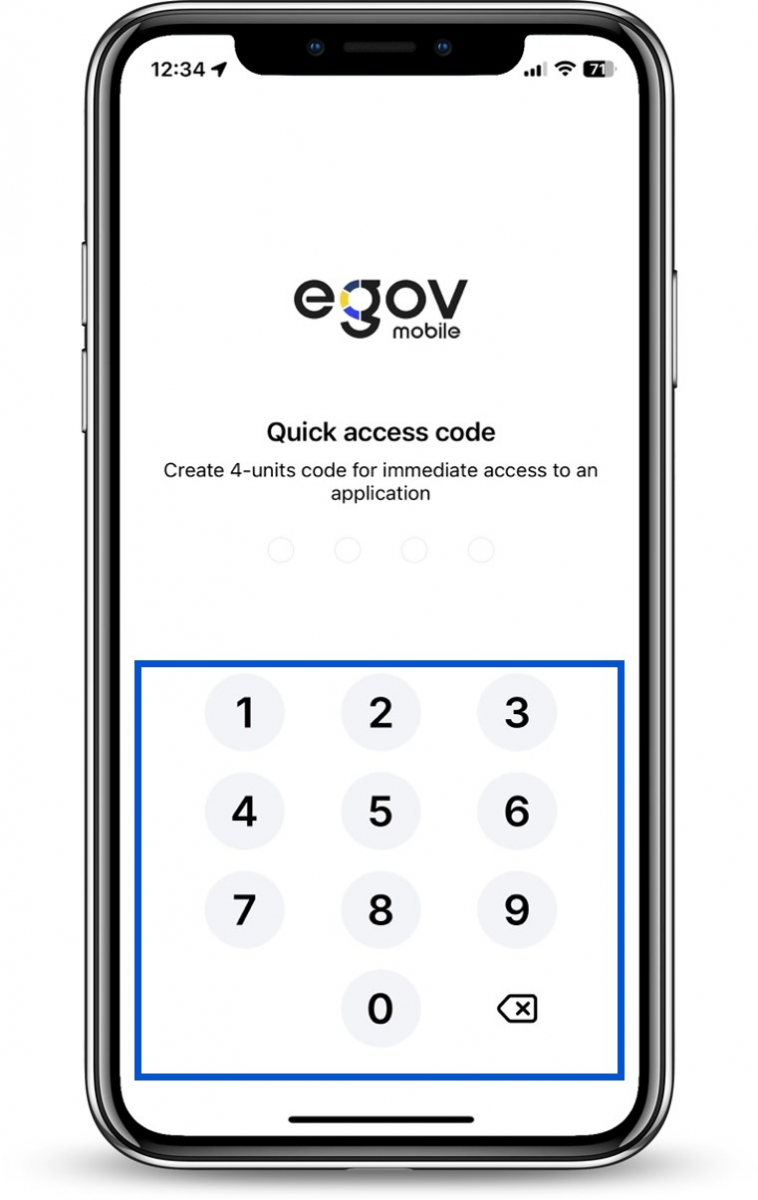
- Create a quick access code and confirm it
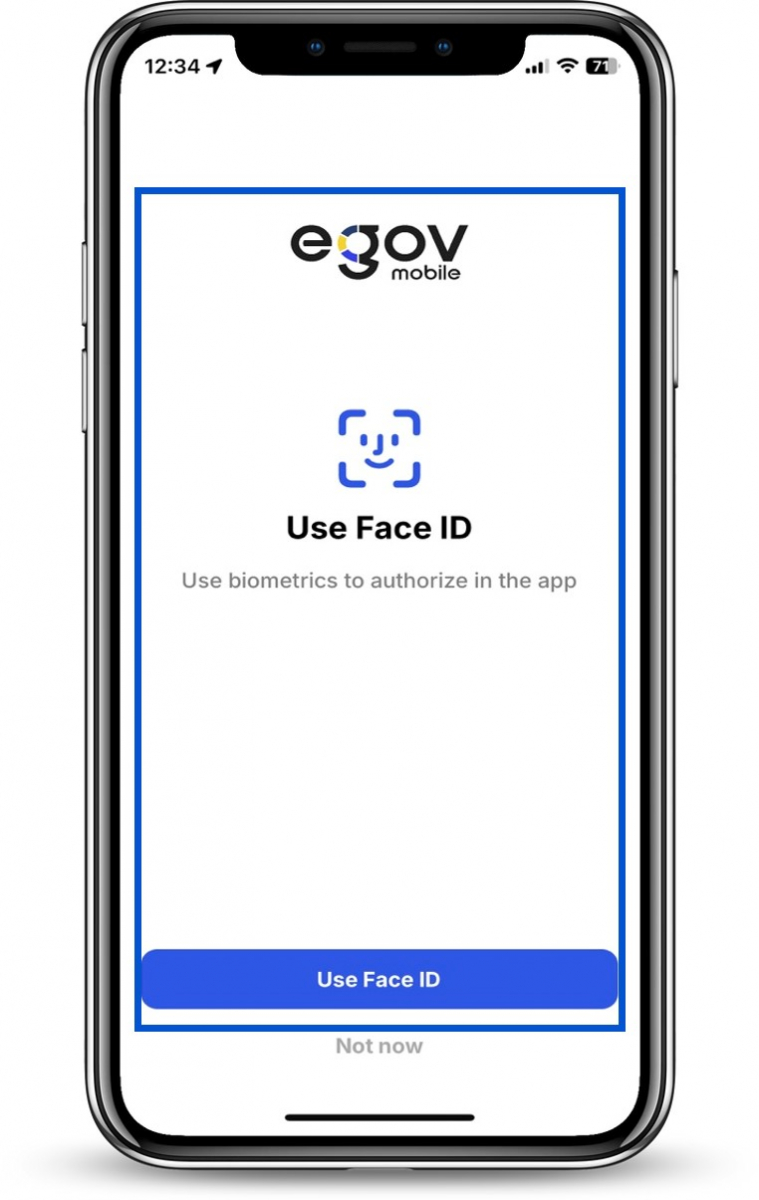
- Enable biometric authentication on your device (face ID or fingerprint).
Note: DS certificates issued in the eGov Mobile can only be used in the eGov Mobile.
Authorization in the application
To log in using a DS:
- On the homepage of the eGov Mobile app, click "Login/Register"
- Click "Use my DS" button
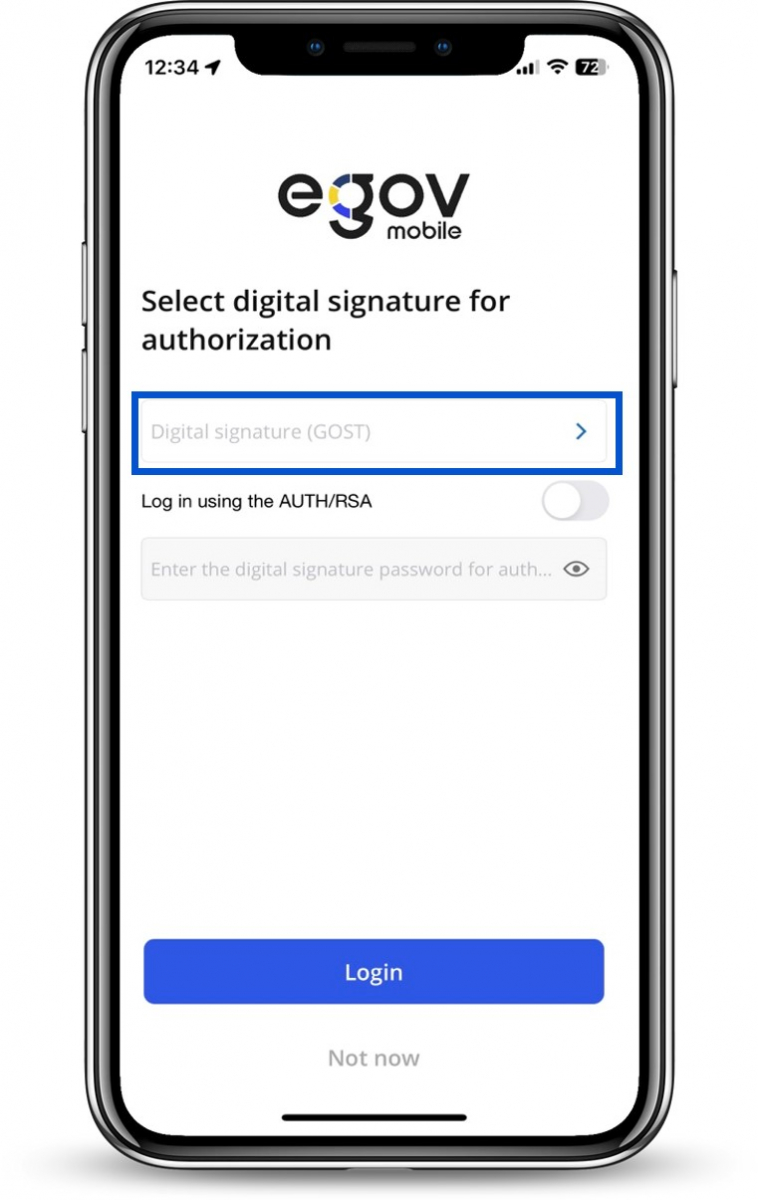
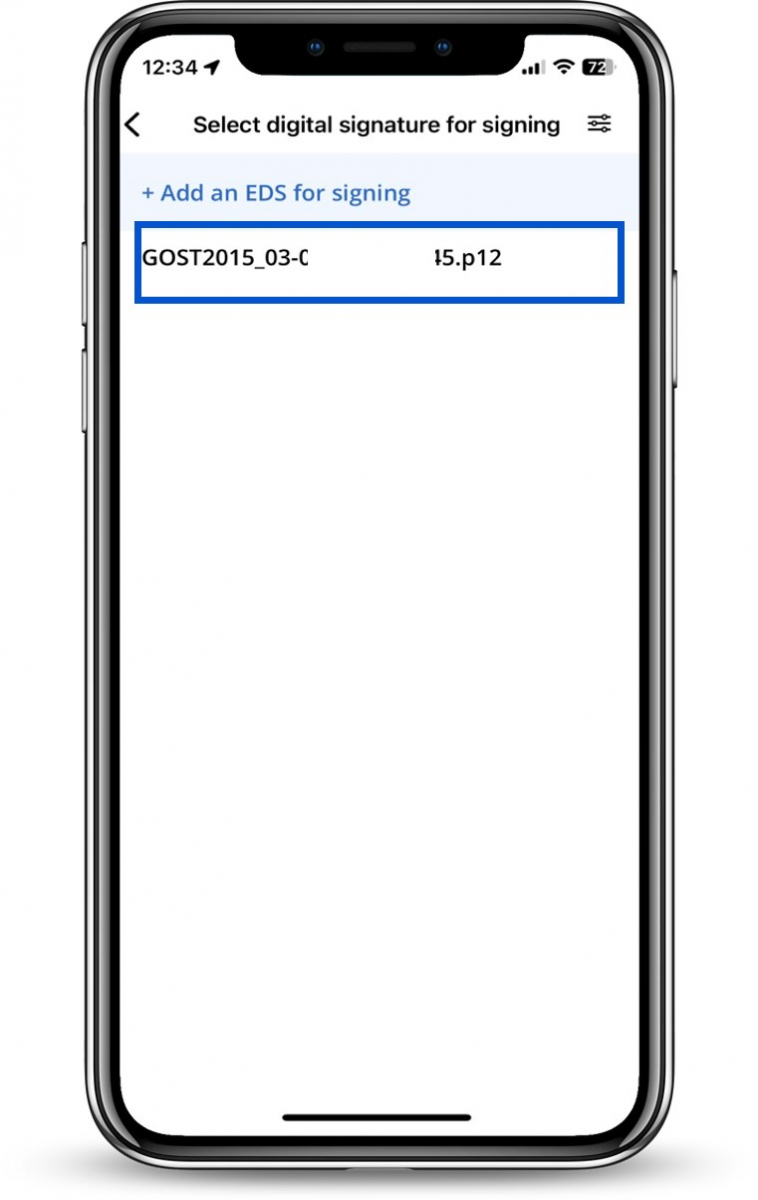
- Select "DS for signing (GOST)" field
- Select the DS
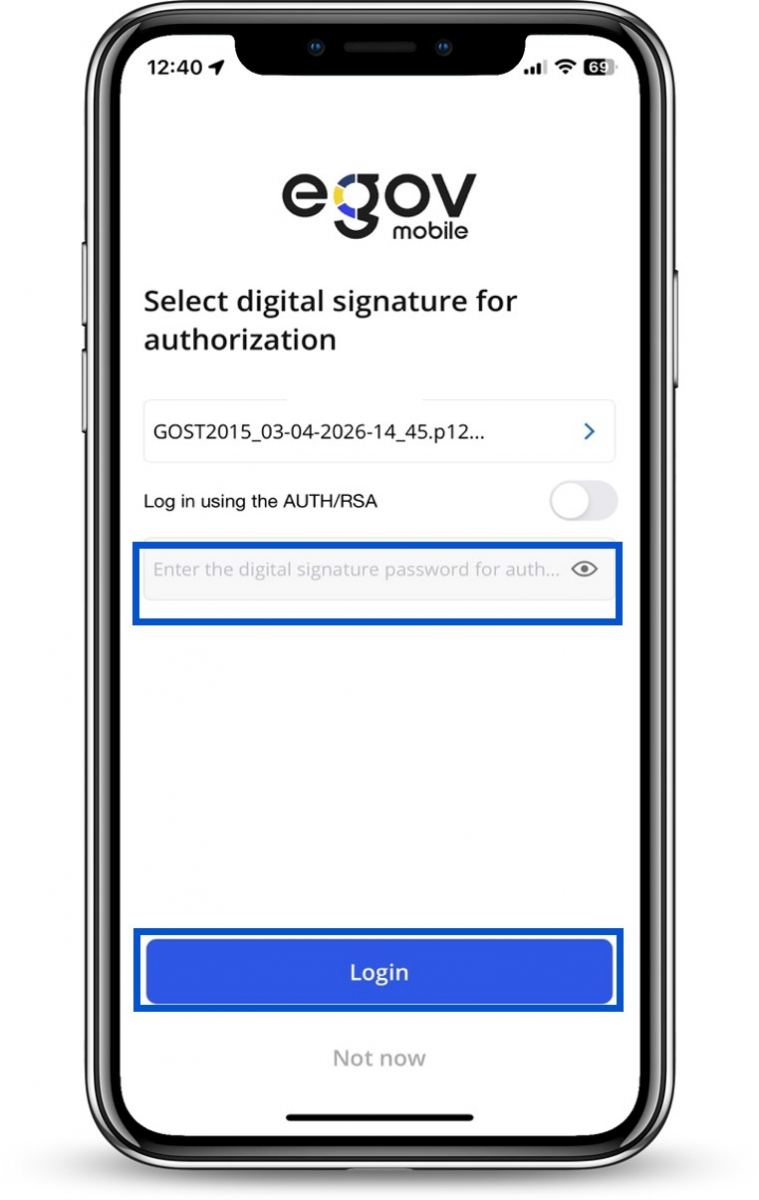
- Enter your DS password
- Click "Log In"
- Create a quick access code and confirm it
- Use Face ID or fingerprint



